
Run every site and the head office from one app
Labour, purchase, stores, budget, contractor bills, payments and HR — site teams enter on the phone, the office approves, owners see live numbers. Made by a construction planning engineer for Indian contractors and builders.
No card needed · Your company gets its own private database · Set up in 2 minutes
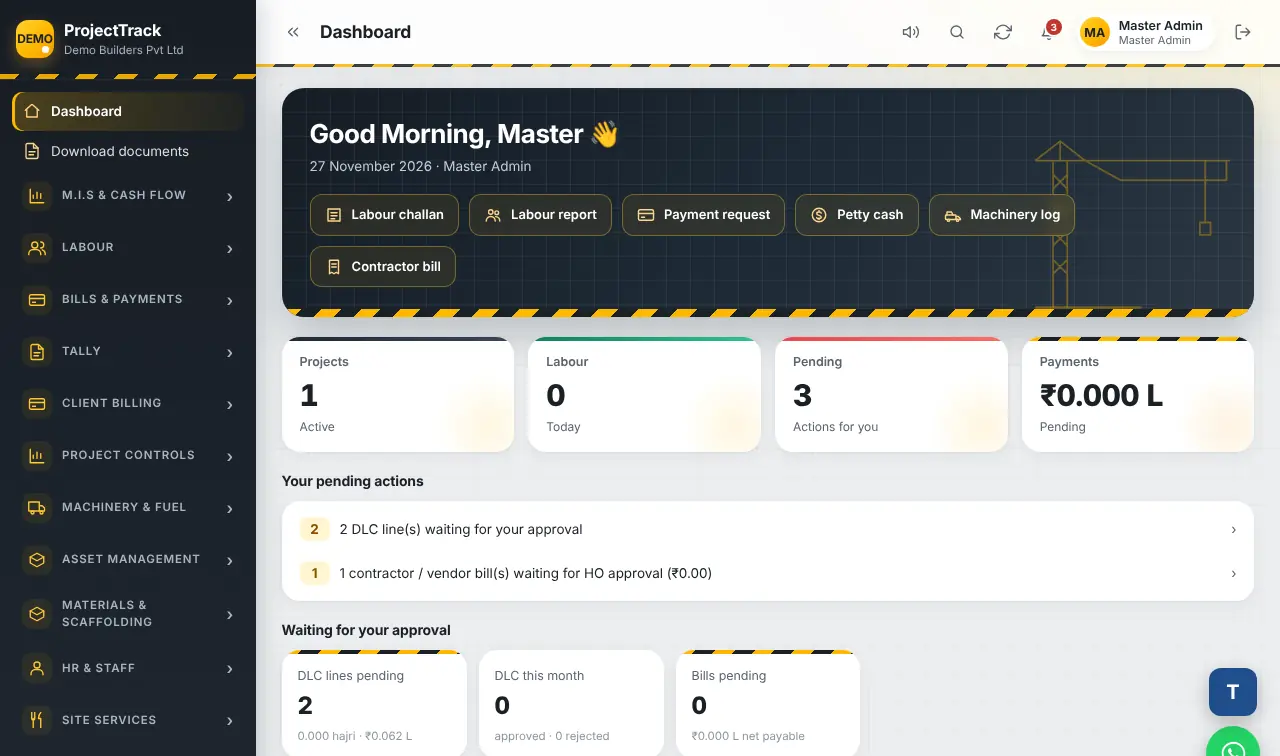
Everything a construction company runs on
Each module works alone, and every module you take links to the same projects, users, budget and approvals — nothing is entered twice.
Labour & daily labour challan
- Shift-wise hajri, contractor rates, DLC per contractor per day
- Labour reports with photos, planning vs actual
- Labour bills from approved DLC — no re-typing
Purchase & site stores
- Indent → quotation compare (L1) → PO → GRN
- Issue, return, site transfer, live stock
- 📷 Photo of the supplier bill fills the GRN NEW
Budget & approvals
- Budget by cost head or BOQ item, committed vs actual
- Over-budget documents blocked until approved
- One approval inbox with limits by amount
Bills, payments & Tally
- Contractor / vendor bill entry, HO approval, courier tracking
- Payment requests, petty cash, debit / credit notes
- Ledger, cash flow and Tally export
Attendance, HR & payroll
- Face + location attendance, group kiosk at the gate
- Leave, shifts, overtime, joining forms with documents
- Payroll, payslips, PF / ESI, exit & F&F
Reports owners read
- MIS per project and month, DPR / WPR / MPR
- Schedule linked to DPR, client billing, reconciliation
- AI exceptions — unusual entries flagged for checking
Built for sites, not just offices
Most site staff use a phone with patchy network. ProjectTrack is made for that.
📶 Works without network
- Entries and attendance are kept on the phone and upload by themselves when the network returns
🔔 Alerts for approvals NEW
- Phone and PC notifications when something waits for you — even when the app is closed
🔒 Your data stays yours
- Separate database per company, user-wise access by project and module, audit log, nightly backup
Start in three steps
No installation and no consultant needed.
- Sign up
Company name, your email and password — your private ProjectTrack is ready in about a minute. - Add your sites & team
Add projects and users, or upload your existing lists from Excel. - Go live
Site staff install the app on their phones and start entering the same day.
Pricing — pay only for the modules you use
Price per company per year, for unlimited users and projects. Tick modules to see your price. GST 18% extra; GST tax invoice given. Every module is free during the 14-day trial.
Core & approvals
Project control
Procurement & stores
Finance
Client
Contracts & parties
Labour
Plant & assets
HR & HRMS
Tools
Questions
What happens after the 14-day free trial?
You choose the modules you want and pay by UPI from Plan & billing inside ProjectTrack. Your data from the trial stays. If you don't pay, access pauses — your data is kept safe and comes back when you renew.
How many users and projects can we add?
During the trial up to 10 users. On a paid plan there is no limit on users or projects — the price is per company.
Does it work on phones and without internet?
Yes. Install the Android app, the iPhone home-screen app or the Windows app from our apps page. Site entries and attendance made without network are kept on the phone and upload automatically later.
Is our data private and backed up?
Each company has its own separate database — no other company can see it. It is backed up every night, users see only the projects and modules you give them, and every change is logged.
We already have data in Excel. Can we bring it in?
Yes — projects, users, contractors / vendors and other lists can be uploaded from Excel templates, and we help with larger imports.
Do you give a GST invoice?
Yes, a GST tax invoice is made automatically when your payment is confirmed.
Can you change it for our company's way of working?
Yes. Formats, approval rules, reports and custom modules can be built for you — message us.
Try ProjectTrack on your own projects
Free for 14 days · no card · set up in 2 minutes