Asset Management – track every construction asset with QR
Know where every tool, machine, vehicle, computer and piece of furniture is, which project has it, who holds it and when its insurance, PUC or service is due. Print QR labels, scan to transfer between sites and keep the full history.
What Asset Management does
Asset register
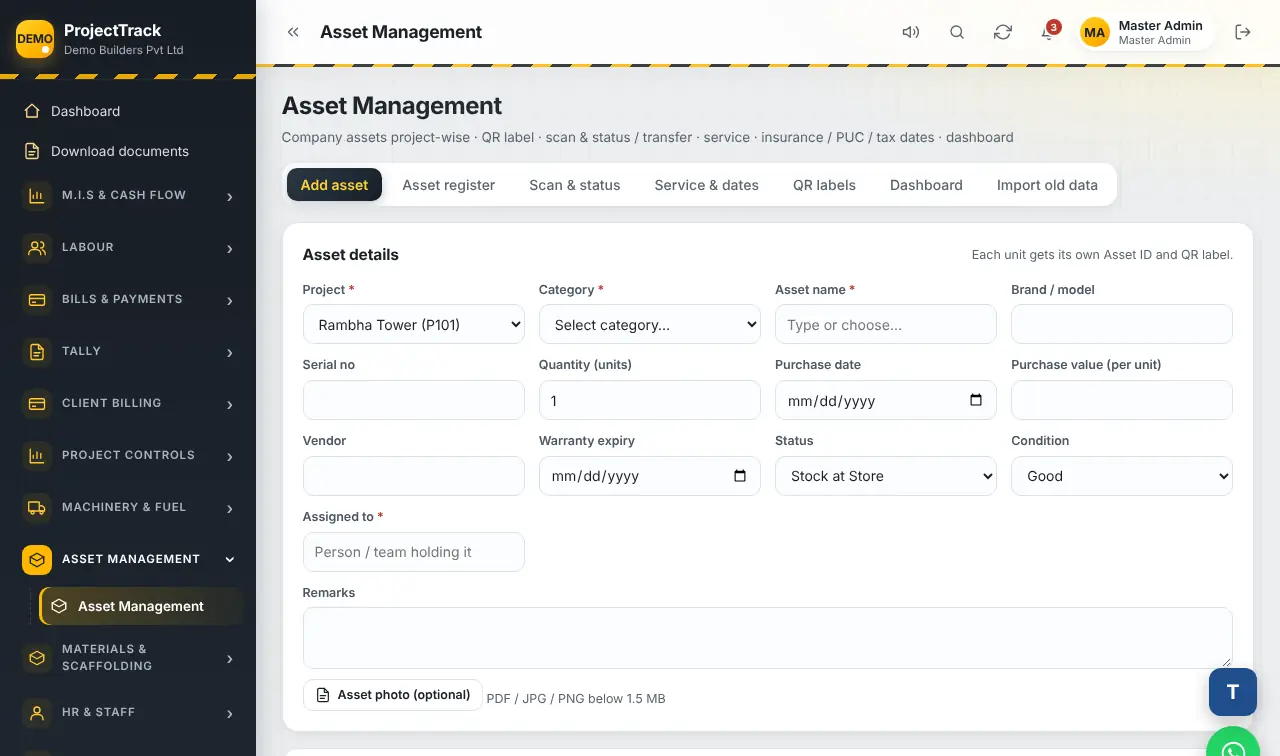
Every asset with category, brand / model, serial number, purchase value, vendor, warranty, status and condition.
QR labels
Print QR labels; each unit gets its own Asset ID.
Scan & transfer
Scan a QR code to see the asset, change its status or transfer it to another project or person.
Service & due dates
Service history plus insurance, PUC, fitness and tax due dates with reminders.
Dashboard
Project-wise and category-wise counts and values, idle and under-repair assets at a glance.
Team users
Add your storekeeper and site staff as users; data is private to your company.
See Asset Management in action
How it works
- Add your projects and assets (or import your old list).
- Print QR labels and stick them on the assets.
- Scan to transfer, update status and track due dates from the dashboard.
Made for: Construction companies, contractors, P&M / stores departments and asset owners who move equipment between sites.
System requirements
- Any modern web browser: Chrome, Edge, Firefox or Safari (latest versions)
- Windows, Mac, Linux, Android or iPhone; no installation
- Internet connection to sign in and save to the cloud
- Excel downloads open in Microsoft Excel, LibreOffice or Google Sheets
- Laptop or desktop recommended for long data entry; phone works for viewing and quick work
- A phone with a camera to scan QR labels (optional)
Support
- Help on WhatsApp: +91 80189 21731
- Built-in help desk inside the member area
- Setup guidance when you start, plus help with your first project
- Licence, renewal and storage shown in My tools
Asset Management pricing
| Plan | Price |
|---|---|
| Free trial | 3 days free · no payment needed |
| Paid plans | Loading… |
Prices include access for one member account. Payment by UPI; your licence starts when payment is confirmed.
Questions about Asset Management
Can I buy only Asset Management?
Yes. Members can buy Asset Management on its own like any other A2 Designs tool, or companies can add it as a module of ProjectTrack ERP — the logic is the same.
Can my staff use it?
Yes, you can add team users (for example a storekeeper) who sign in with their own ID.
Does it work on mobile?
Yes, it works in the browser on mobile, tablet and computer, including QR scanning with the phone camera.
Is there a free trial?
Yes, 3 days free, with your own private company data.
Try Asset Management free for 3 days
Built by a practising civil engineer. Your work is saved in the cloud.