Cube Test Register – concrete cube testing register and test reports
Keep the site cube register up to date without a thick paper book. Enter each pour once; the register works out strength, density and averages, tells you which cubes are due for testing today, and prints a lab-style test report for every set.
What Cube Test Register does
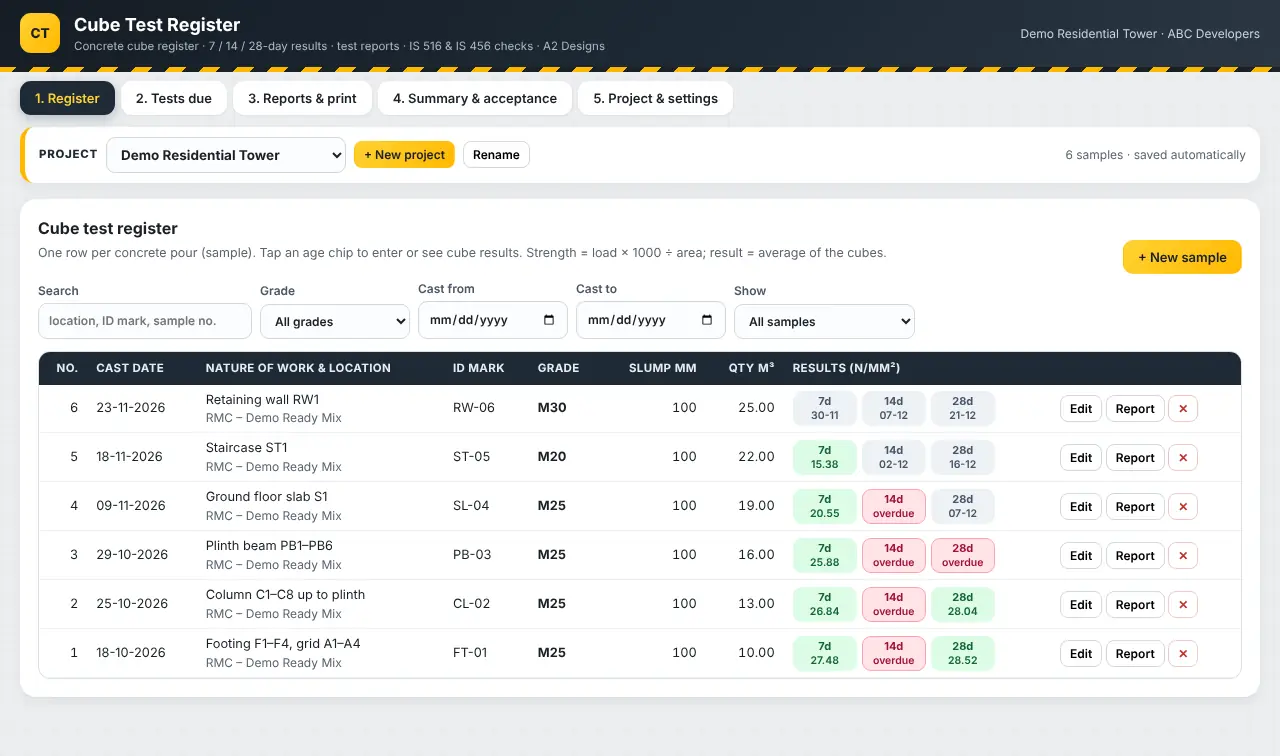
Register of every pour
Location, cube ID mark, grade, casting date, slump, concrete quantity and RMC / mix reference for each sample.
7 / 14 / 28-day results
Cube size, weight, crushing load per cube; area, density, strength and average are calculated, with pass or fail against the required strength.
Tests-due alerts
Overdue, due today and next 7 days lists so no cube set is missed or tested late.
Test reports
One-page report per set with project details, cube table, result, references and signature blocks — print or PDF on any paper size.
IS 456 acceptance
28-day results checked per grade: individual results and mean of 4 consecutive results, using the assumed standard deviation you set.
Excel with formulas
Register, grades and summary sheets where strength, average, required strength and result are live formulas.
See Cube Test Register in action
How it works
- Set your grades, test ages and technicians once.
- Add a sample when cubes are cast; enter weights and loads on test days.
- Print test reports and the register, and check acceptance per grade.
Made for: Site and QC engineers, lab technicians, contractors, consultants and PMCs who maintain concrete cube registers.
System requirements
- Any modern web browser: Chrome, Edge, Firefox or Safari (latest versions)
- Windows, Mac, Linux, Android or iPhone; no installation
- Internet connection to sign in and save to the cloud
- Excel downloads open in Microsoft Excel, LibreOffice or Google Sheets
- Laptop or desktop recommended for long data entry; phone works for viewing and quick work
Support
- Help on WhatsApp: +91 80189 21731
- Built-in help desk inside the member area
- Setup guidance when you start, plus help with your first project
- Licence, renewal and storage shown in My tools
Cube Test Register pricing
| Plan | Price |
|---|---|
| Free trial | 3 days free · no payment needed |
| Paid plans | Loading… |
Prices include access for one member account. Payment by UPI; your licence starts when payment is confirmed.
Questions about Cube Test Register
How is cube compressive strength calculated?
Strength in N/mm² = crushing load in kN × 1000 ÷ loaded area in mm² (150 × 150 = 22,500 mm² for a standard cube). The test result of a sample is the average of its cubes.
Does it flag invalid results?
Yes. If any cube differs from the average by more than ±15%, the set is marked invalid as per IS 456 clause 15.4 and left out of the acceptance check.
Can I change the required strength at 7 and 14 days?
Yes. Defaults are 67% of fck at 7 days, 90% at 14 days and 100% at 28 days; change them to match your specification.
Is there a free trial?
Yes, 3 days free for every new member.
Try Cube Test Register free for 3 days
Built by a practising civil engineer. Your work is saved in the cloud.