Project Bar Chart – plan, update and print your Gantt chart
List your activities with durations and links; the dates follow your working calendar. Update actual start and quantity done, and see which activities are behind and when the project will really finish.
What Project Bar Chart does
Working calendar
Choose weekly offs and add holidays; durations count working days only.
Activities & links
Sections, units, quantities, start dates or finish-to-start predecessors with lag.
Progress
Actual start, quantity or % done and actual finish give planned vs actual % and status.
Forecast
Forecast finish from the current pace, pushed through to the activities that follow.
Gantt chart
Day, week or month scale with planned and actual bars and a status date line; prints landscape.
Reports & Excel
Status report with delays and reasons, and an Excel schedule using WORKDAY formulas.
See Project Bar Chart in action
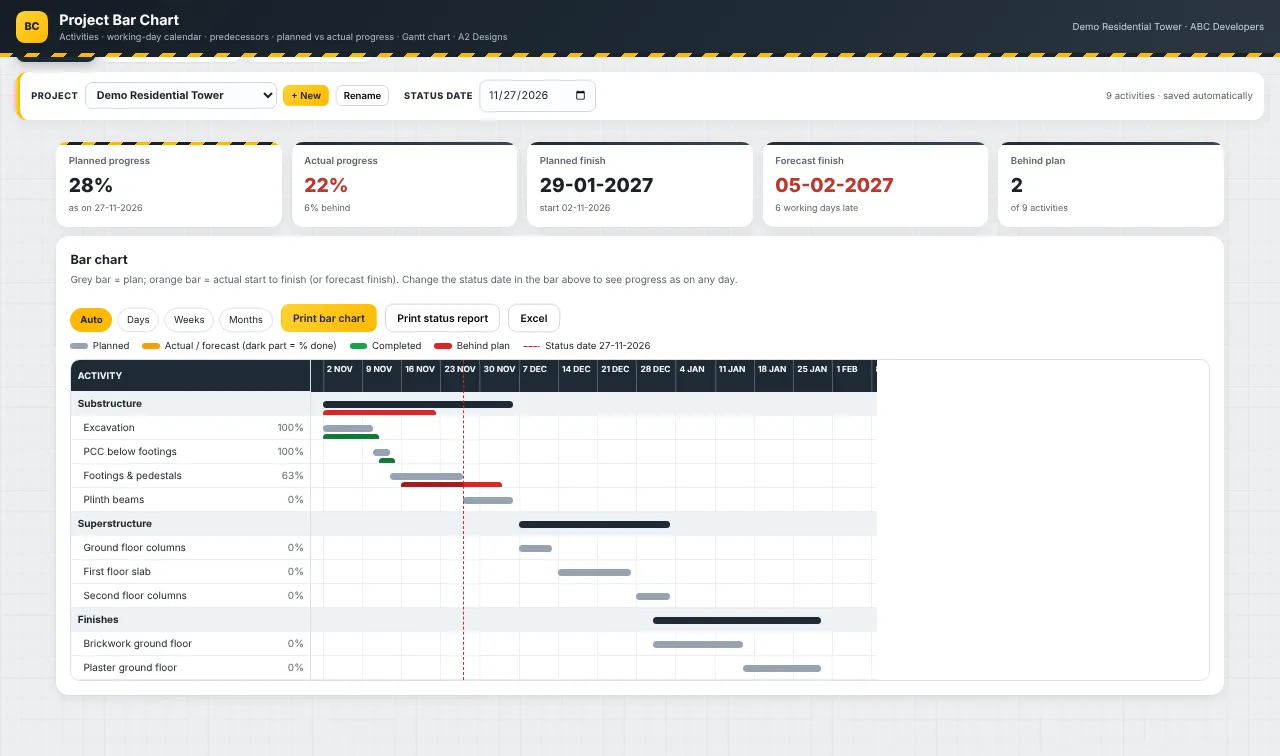
How it works
- Set the project start date, weekly offs and holidays.
- Add or paste activities with durations and predecessors.
- Update progress each week and print the bar chart and status report.
Made for: Planning engineers, project managers and site engineers who report progress to management and clients.
System requirements
- Any modern web browser: Chrome, Edge, Firefox or Safari (latest versions)
- Windows, Mac, Linux, Android or iPhone; no installation
- Internet connection to sign in and save to the cloud
- Excel downloads open in Microsoft Excel, LibreOffice or Google Sheets
- Laptop or desktop recommended for long data entry; phone works for viewing and quick work
Support
- Help on WhatsApp: +91 80189 21731
- Built-in help desk inside the member area
- Setup guidance when you start, plus help with your first project
- Licence, renewal and storage shown in My tools
Project Bar Chart pricing
| Plan | Price |
|---|---|
| Free trial | 3 days free · no payment needed |
| Paid plans | Loading… |
Prices include access for one member account. Payment by UPI; your licence starts when payment is confirmed.
Questions about Project Bar Chart
Can I paste my activity list from Excel?
Yes. Paste activity, duration, unit, quantity and an optional start date.
How is the forecast worked out?
From the pace so far on started activities, and pushed to the activities linked after them.
Can I see progress on a past date?
Yes. Change the status date and the chart and percentages update.
Is there a free trial?
Yes, 3 days free for every new member.
Try Project Bar Chart free for 3 days
Built by a practising civil engineer. Your work is saved in the cloud.